Automate your conversations effortlessly
Optimize customer interactions on WhatsApp with easy-to-use flows

What are flows?
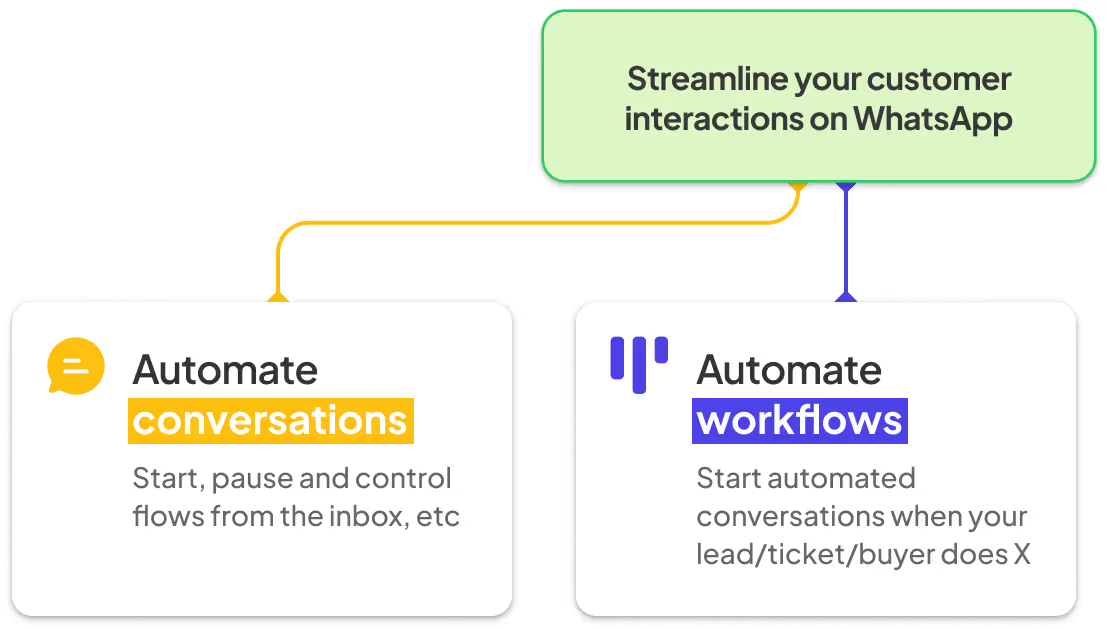
Flows is how you can automate conversations on WhatsApp and how you can quickly automate the workflow around your conversations. Whether it's support, sales, or operations, you can create the workflow that makes sense for your company and automate it and the conversations it contains

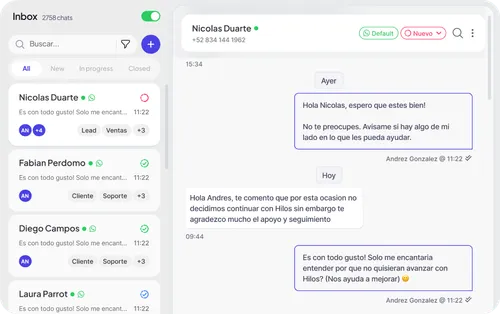
inbox
Automate conversations, start, pause and control flows from the inbox, and so on.

Kanban
Automate your workflow, start automated conversations when your prospect, ticket/buyer does X

What you can do with flows,
from beginner to expert
Get started easily
Brief description of what a customer can achieve with a minimum investment of time and effort at a beginner level
STEP 1
Set up your chatbot
Set up your chatbot in minutes with our intuitive interface

of customers are covered by this message flow
STEP 2
Connect your ads
Connect to your CRM and automatically save customer data


STEP 3
Launch your campaign
Launch your campaign and monitor your success in real time

Find out what can be done
with very simple flows


In 3 months, Tripleten had scaled up to three times as many WA conversations
In 3 months, Tripleten had scaled up to three times as many WA conversations
In 3 months, Tripleten had scaled up to three times as many WA conversations
Find out what can be done
with very simple flows
Credit calculator
In This Guide You Explain Everything About Whatsapp Templates, Tips, Inspiration, And Important Considerations When
Lead prospecting
In This Guide You Explain Everything About Whatsapp Templates, Tips, Inspiration, And Important Considerations When
Order status check
In This Guide You Explain Everything About Whatsapp Templates, Tips, Inspiration, And Important Considerations When
Flows Advanced functions allow you to better control your sales funnel and processes
Selective synchronization
Synchronize your contacts with HubSpot selectively. Create a profile of everyone who initiates a conversation with you before synchronizing them with HubSpot
Automated actions
Run automations when a ticket or a potential customer changes status in your funnel. For example, send an automated CSAT survey when a ticket is closed
Reactivating leads
Carry out reactivation campaigns for your potential customers in Hilos or your CRM and easily track the conversion rate.
Reminder flows
Increase conversions by covering all flow cases. If a user doesn't respond in X times, send automatic reminders And take them back
Conversion Tracking
Connect your chatbot to Meta's marketing tools so you can better track conversions in your Click 2 WhatsApp ads
Modular flows
Is your main flow so big that it's hard to follow? Divide it into smaller, reusable flows and activate them at any time!
Find out what can be done
with very simple flows

Learn how Contalink reduced its average response time to 12 minutes
Learn how Contalink reduced its average response time to 12 minutes
In 3 months, Tripleten had scaled up to three times as many WA conversations
Explore templates that can be configured in less than 5 minutes
Credit calculator
In This Guide You Explain Everything About Whatsapp Templates, Tips, Inspiration, And Important Considerations When
Lead prospecting
In This Guide You Explain Everything About Whatsapp Templates, Tips, Inspiration, And Important Considerations When
Order status check
In This Guide You Explain Everything About Whatsapp Templates, Tips, Inspiration, And Important Considerations When
Flows Expert functions allow you to use external tools and AI agents
Use WhatsApp flows
Use ChatGPT, Gemini, Claude and others

Easily use Hilos AI agents
Use ChatGPT, Gemini, Claude and others to help you with conversations

Find out what can be done
with very simple flows

Learn how Contalink reduced its average response time to 12 minutes
Learn how Contalink reduced its average response time to 12 minutes
In 3 months, Tripleten had scaled up to three times as many WA conversations
Explore templates that can be configured in less than 5 minutes
Credit calculator
In This Guide You Explain Everything About Whatsapp Templates, Tips, Inspiration, And Important Considerations When
Lead prospecting
In This Guide You Explain Everything About Whatsapp Templates, Tips, Inspiration, And Important Considerations When
Order status check
In This Guide You Explain Everything About Whatsapp Templates, Tips, Inspiration, And Important Considerations When

Learn more about the WhatsApp API
Take a look at what you need to know to start using the WhatsApp API in your business.


Ready to close more sales on WhatsApp?