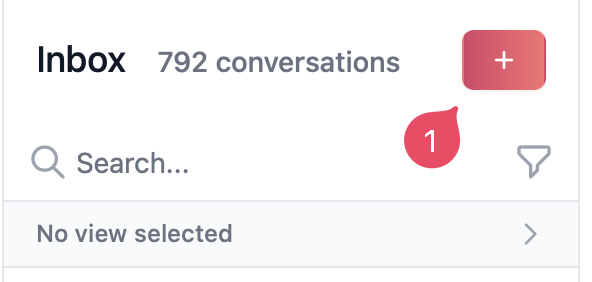
To start a conversation with a contact go to your Inbox and click on the plus sign at the top of the page.
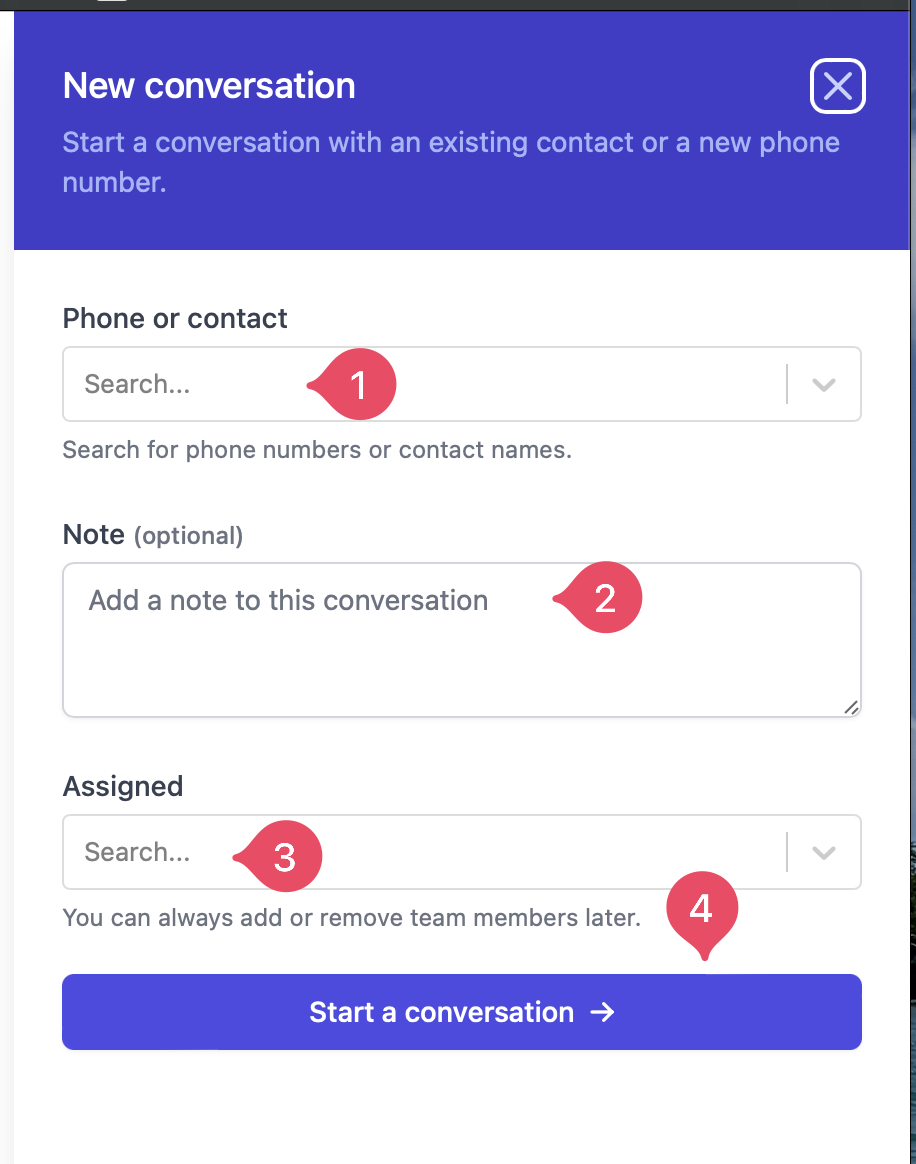
You can search using a phone number, if a contact with the number does not exist you can still initiate a conversation by typing the number and clicking on Start conversation.
Select the contact you wish from the sidebar that appeared or add a number you wish to contact. If you wish to add more team members to the conversation you can do so there as well.Then click on Start conversation.You’ll see the conversation appear on the Inbox and you’ll need to select one of your templates to send the first message.


 Select the contact you wish from the sidebar that appeared or add a number you wish to contact. If you wish to add more team members to the conversation you can do so there as well.
Then click on Start conversation.
Select the contact you wish from the sidebar that appeared or add a number you wish to contact. If you wish to add more team members to the conversation you can do so there as well.
Then click on Start conversation.
 You’ll see the conversation appear on the Inbox and you’ll need to select one of your templates to send the first message.