Prerequisites
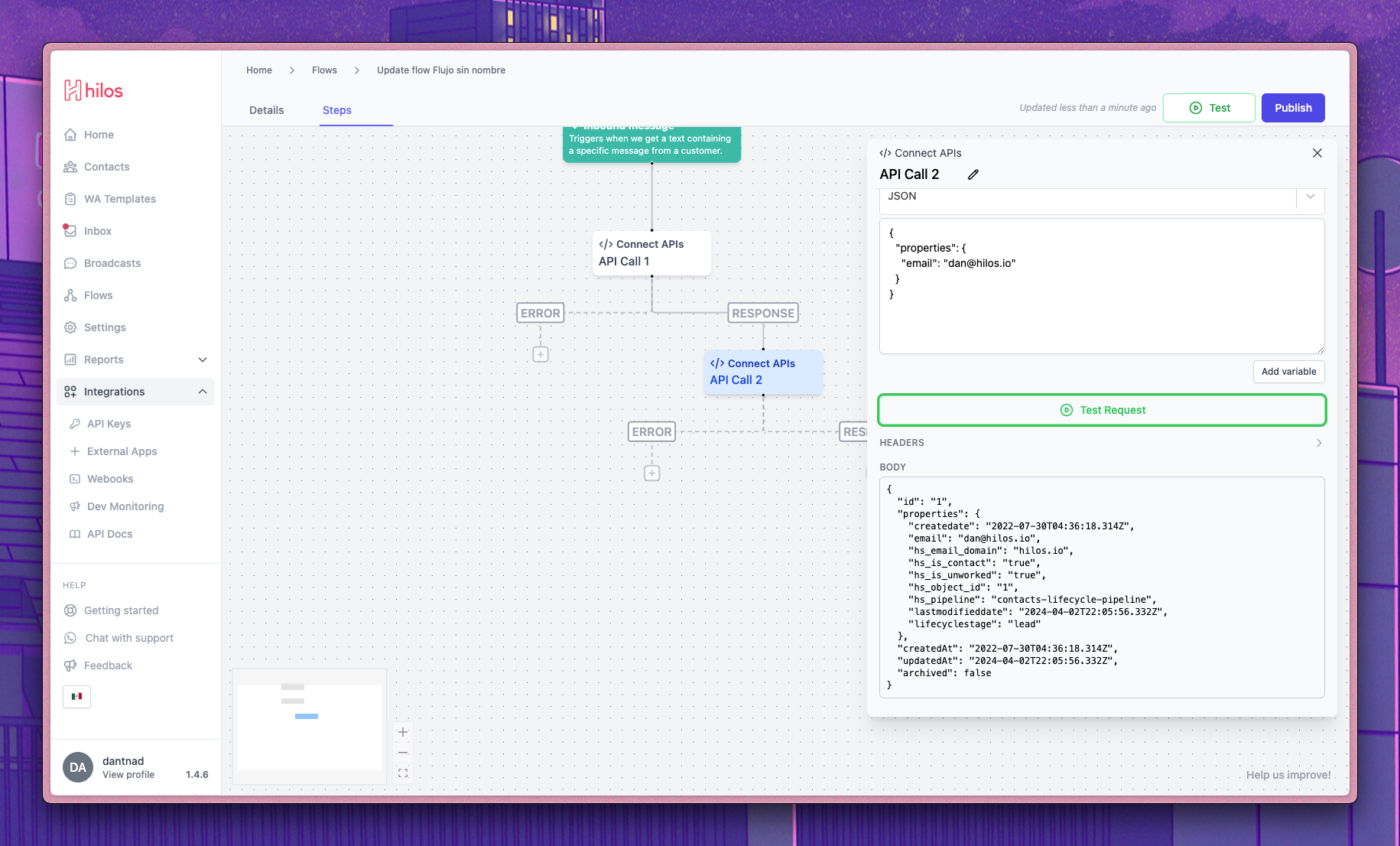
To follow along this guide you’ll need to get your bearer token from HubSpot. You can find the instructions on how to get it here. Remember to correctly set the Read/Write actions depending on wether you want to be able to update that information using the API step from Hilos or not.Retrieving your contacts
To retrieve a contact from HubSpot you can make aGET request to the /crm/v3/objects/contacts HubSpot endpoint. This will return a list of contacts that match the query parameters you provide. You can learn more about this endpoint on the HubSpot API documentation.
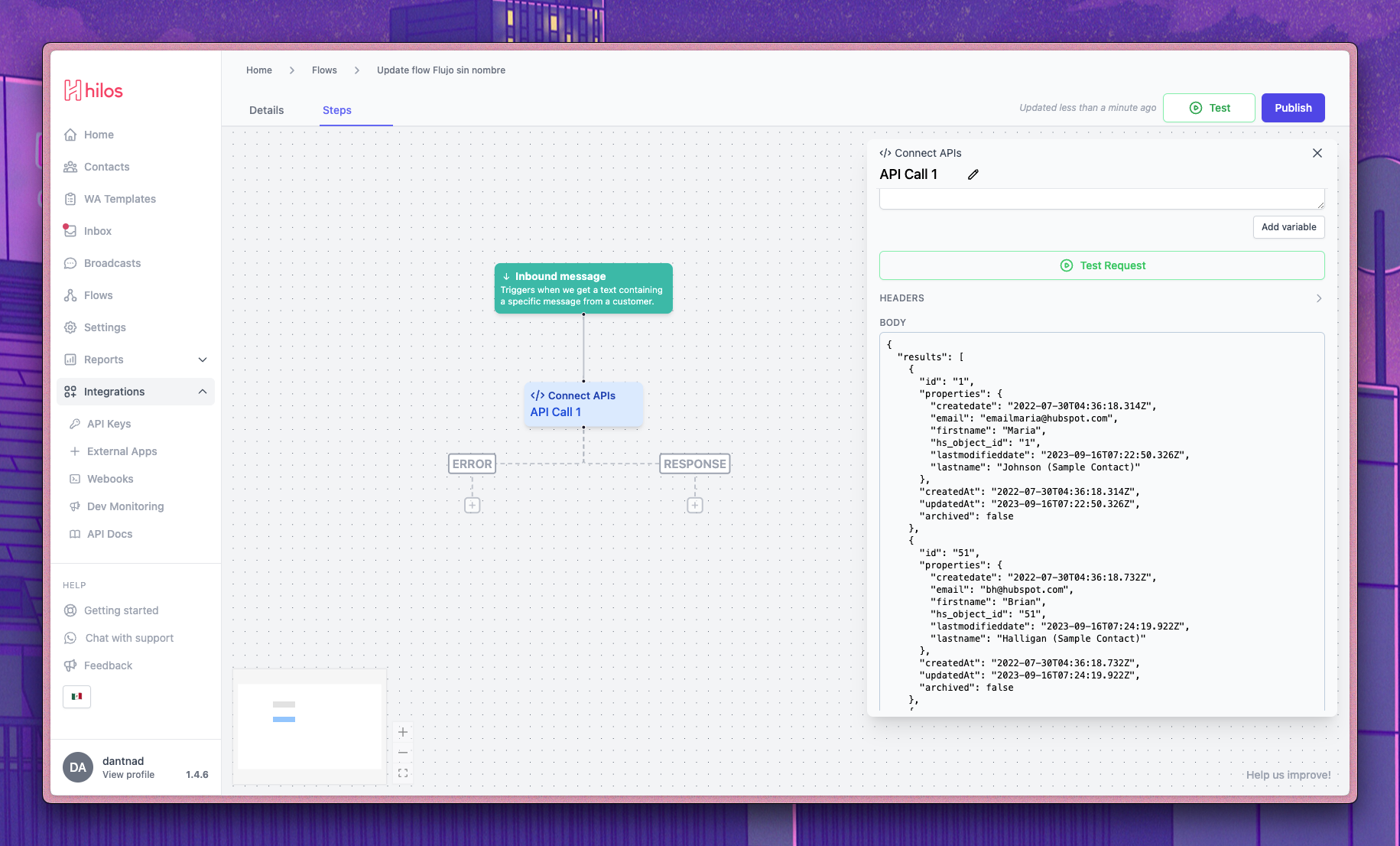 If you wish to retrieve an specific contact you may want to use the
 GET request to /crm/v3/objects/contacts/{contactId} endpoint instead.
Update a contact
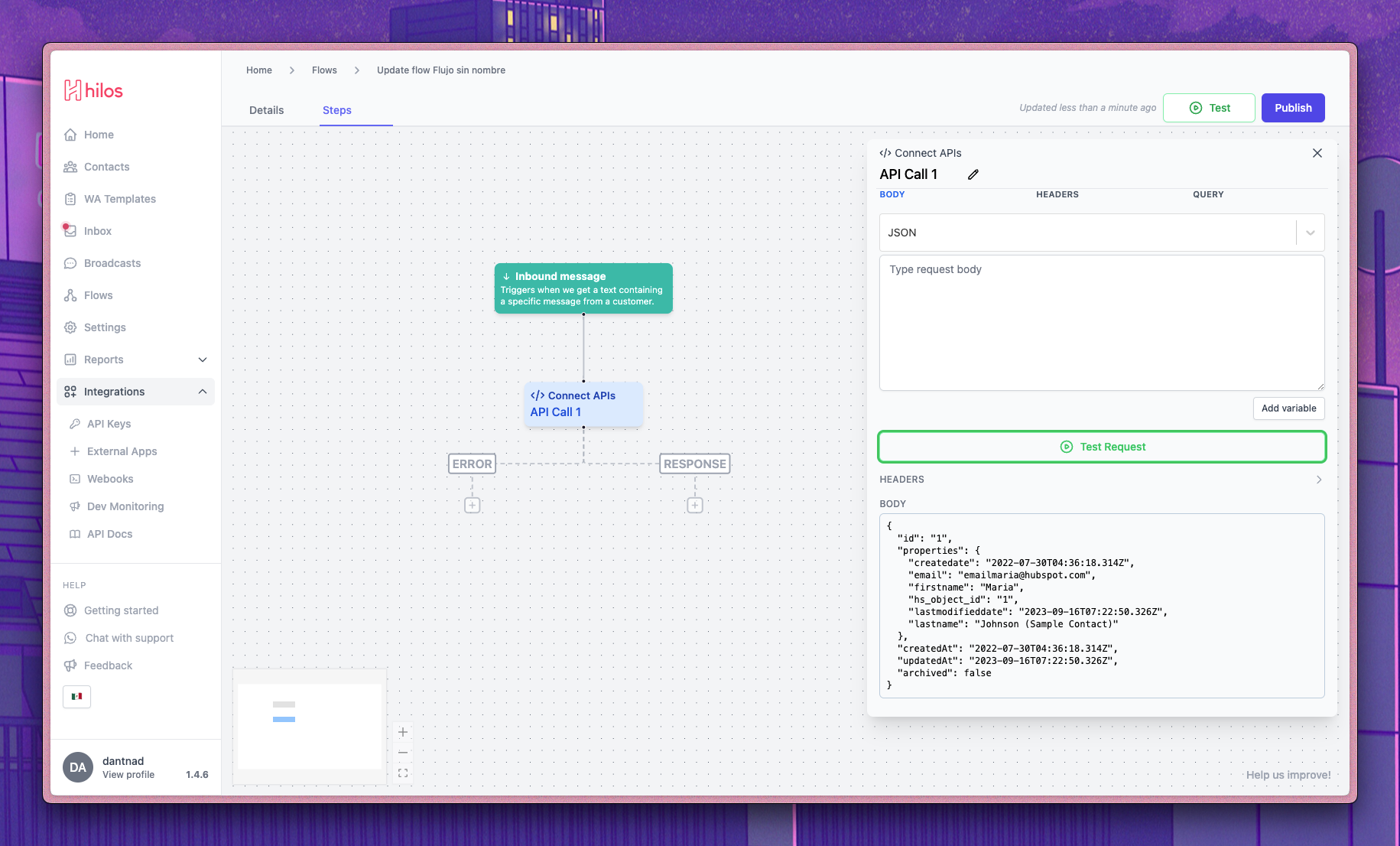
To update a contact in HubSpot you can make aPATCH request to the /crm/v3/objects/contacts/{contactId} HubSpot endpoint. This will update the contact with the provided contactId with the information you provide in the request body under the properties key. You can learn more about this endpoint on the HubSpot API documentation.
An example call to update a contact would look like this: