> ## Documentation Index
> Fetch the complete documentation index at: https://hilos-40.mintlify.site/llms.txt
> Use this file to discover all available pages before exploring further.
# Notes
Notes in Hilos are a powerful feature that allows you to add private information to a conversation. These notes are visible only to your team members and not to your customers.
## How to Add a Note
To add a note to a conversation, follow these steps:
Go to the Inbox and select the conversation you want to add a note to.
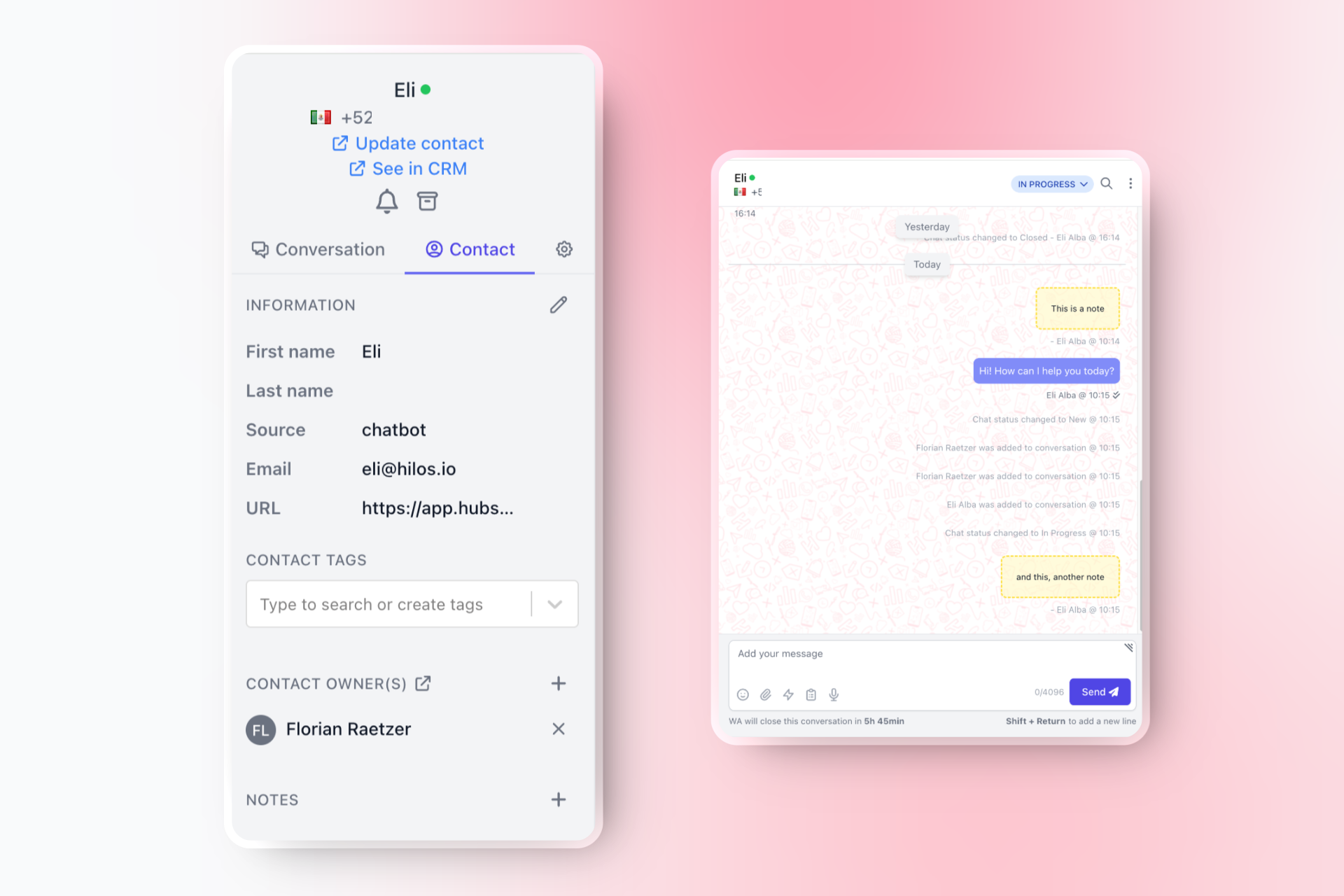
In the right sidebar, click on the 'Contact' tab.
Find the 'Notes' section and click on the `+` icon.
Enter the information you want to add to the note.
Click on 'Save' to add the note to the conversation.
Notes Cannot Be Deleted or Edited; If you need to delete a note, please contact our support team, and we will assist you with the deletion. We are considering adding the ability to delete or edit notes in the future.
### Benefits of Adding Notes
Privacy: Notes are private, meaning that only users in your team can see them. Customers do not have access to these notes, allowing you to add internal information without affecting the customer experience.
Information Management:Adding notes helps you keep track of important information related to a conversation. This can include details about the customer's issue, follow-up actions, or any other relevant information that might be useful for your team.
Visibility: Notes appear in yellow inside the conversation, making them easily distinguishable from regular messages. They also appear in the sidebar, providing a quick reference for team members.
## Conclusion
Using notes in Hilos is an effective way to manage and share internal information within your team. By adding private notes to conversations, you can ensure that important details are documented and easily accessible to your team members. Start using notes today to enhance your support operations and improve information management.
If you have any questions or need assistance with notes, please don't hesitate to contact our support team.