> ## Documentation Index
> Fetch the complete documentation index at: https://hilos-40.mintlify.site/llms.txt
> Use this file to discover all available pages before exploring further.
# Assignations
## Introduction
Assigning conversations to the right team or team member is crucial for efficient support and ensuring that customers receive timely and accurate responses. Hilos offers several ways to manage assignments, including manual assignment, contact owners (with optional automatic contact owner assignment based on the first responder). In this article, we will explore how to manually assign conversations, set up contact owners, and explain the benefits of these features.
## Manual Assignment in the Inbox
### How to Manually Assign a Team or Team Member
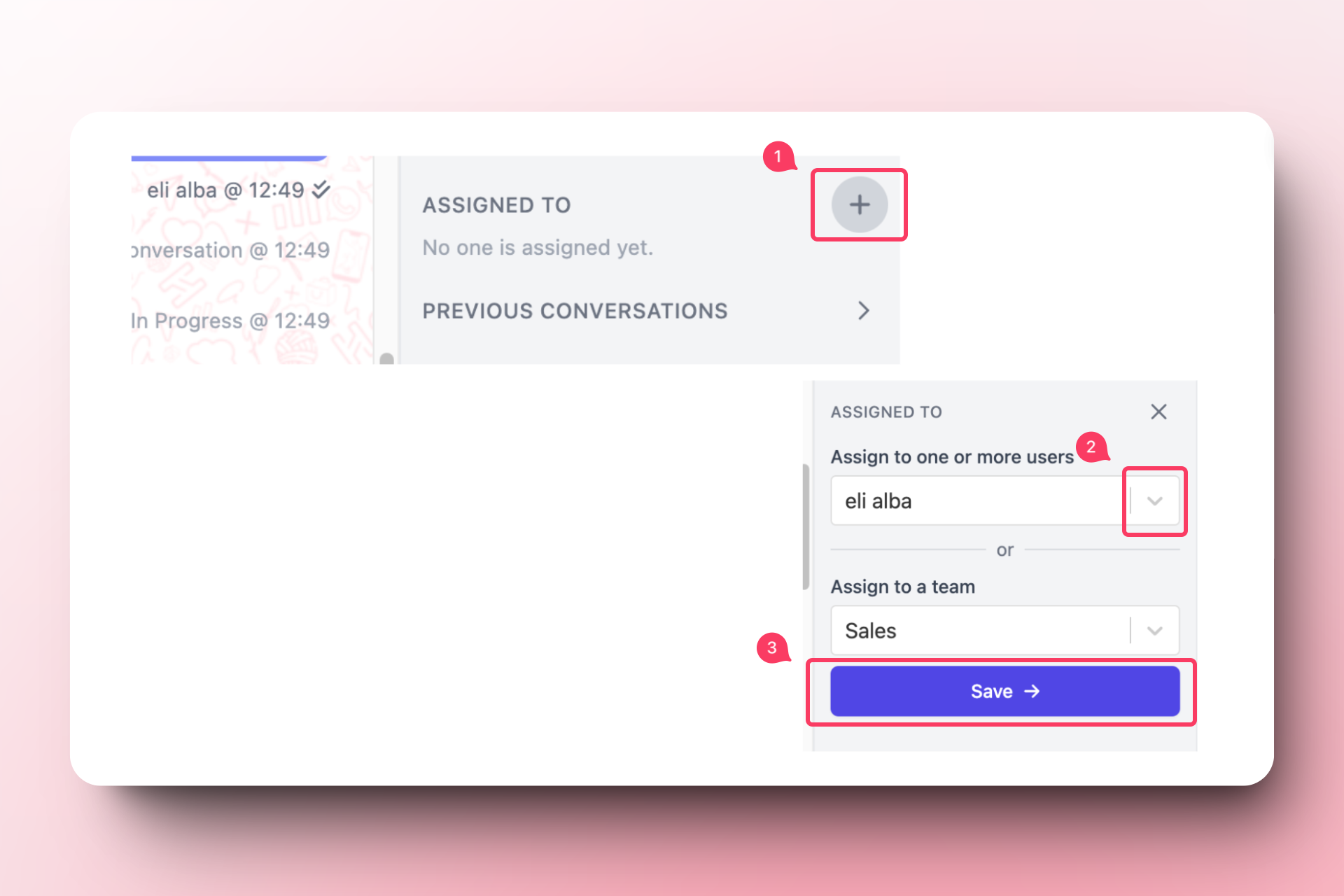
Sometimes, a conversation may require the expertise of a specific team or team member. In such cases, you can manually assign the conversation to ensure it is handled appropriately. Follow these steps to manually assign a conversation:
Go to the Inbox and select the conversation you want to assign.
In the right sidebar, find the 'Assigned to' section and click on the `+` icon.
Choose the team or team member you want to assign the conversation to.
Click on 'Save' to confirm the assignment.
If a team member sends a message to the conversation, they will be automatically assigned to the conversation.
## Default Assignees
### What is a Default Assignee?
A default assignee is a team member who is automatically assigned to a conversation whenever a specific contact initiates a chat. This feature is particularly useful for maintaining continuity and ensuring that customers always interact with the same representative, such as a Key Account Manager (KAM).
### How to Set Up a Default Assignee
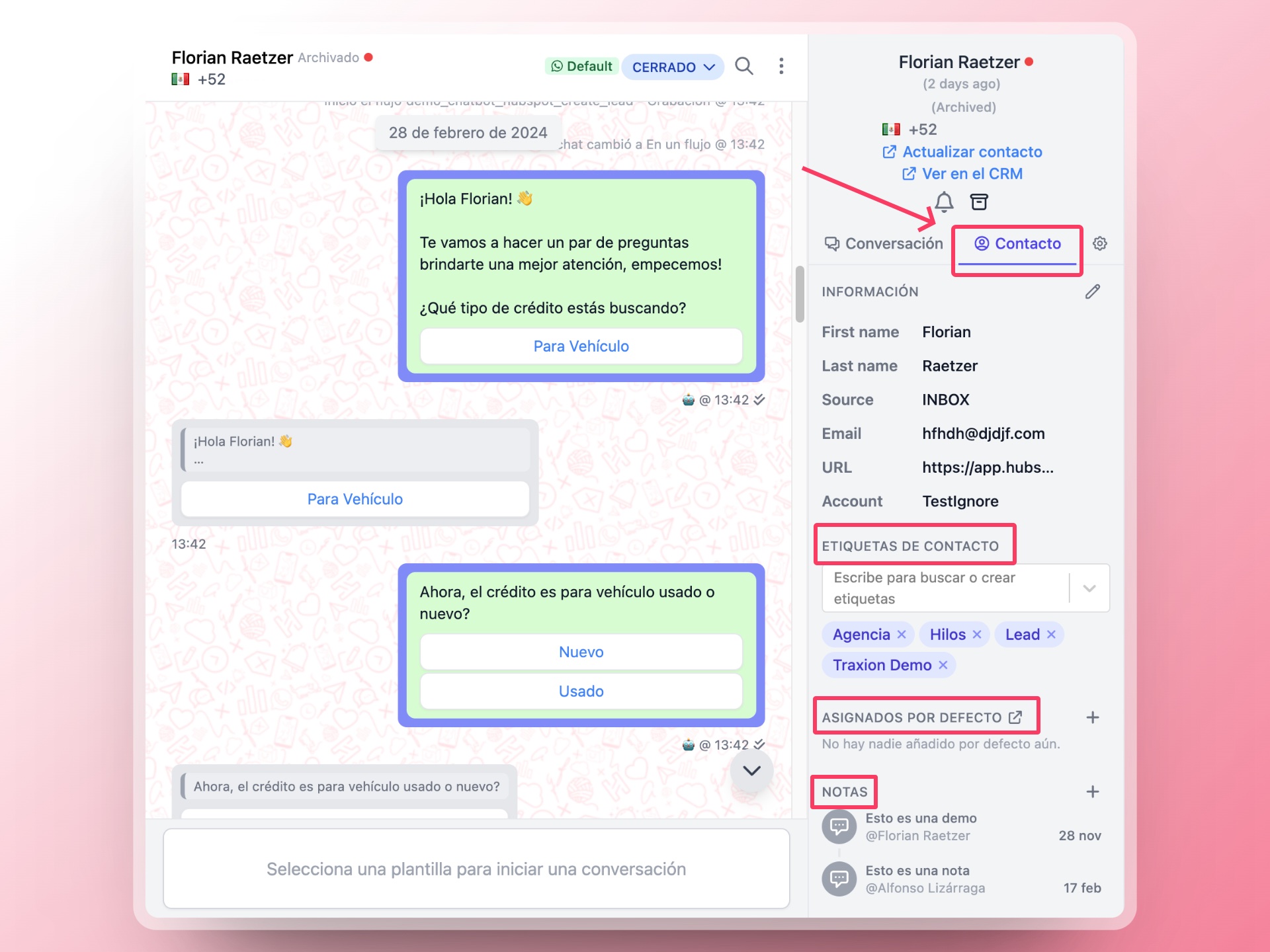
To set up a default assignee for a contact, follow these steps:
Go to the Inbox and select the conversation of the contact you want to assign a default assignee to.
In the right sidebar, click on the 'Contact' tab.
Find the 'Contact Owners' section and click on the `+` icon.
Choose the team member you want to assign as the default assignee for this contact.
Click on 'Save' to confirm the default assignee.
### Scenarios for Using Default Assignees
* **Key Account Management**: If you are the Key Account Manager (KAM) for a customer, you may want to always be the point of contact for that customer. Setting yourself as the default assignee ensures that you handle all interactions with that customer.
* **Specialized Support**: If a contact requires specialized support, you can assign the conversation to a team member with the necessary expertise.
* **Customer Relationships**: Maintaining consistent communication with the same representative can help build stronger customer relationships and improve satisfaction.
### Interaction with Flow Assignments
When a conversation is assigned through a flow step (either `Assign` or `Assign Team`), the user(s) assigned by the flow and the contact owners will be added at the same time. This ensures that the default assignee remains involved in the conversation, even if additional team members are assigned through automation.
## Automatic Assignment Based on First Responder
### How It Works
Hilos offers a feature that automatically assigns the first responder to a conversation as the contact's default assignee. This is particularly useful for sales teams, but can also benefit support teams.
### Enabling Automatic Assignment
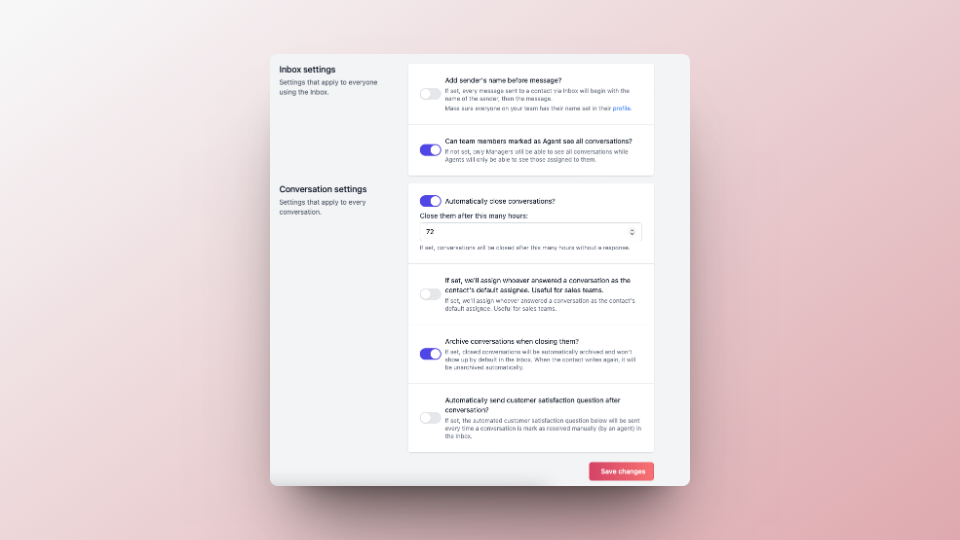
To enable this feature, follow these steps:
Navigate to [Inbox Settings](https://app.hilos.io/config/account/inbox).
Find the setting called 'Assign first responder as the contact's default assignee?' and toggle it on.
Click on 'Save changes' to apply the setting.
### Benefits for Support Teams
* **Consistency**: Ensures that the same team member handles all interactions with a contact, providing a consistent experience.
* **Efficiency**: Reduces the need for manual assignments, saving time and effort.
* **Accountability**: Clearly identifies the team member responsible for each conversation, improving accountability and follow-up.