> ## Documentation Index
> Fetch the complete documentation index at: https://hilos-40.mintlify.site/llms.txt
> Use this file to discover all available pages before exploring further.
# C-SAT
Customer Satisfaction (C-SAT) surveys are a powerful way to gather feedback from your customers and improve your service. Hilos allows you to automate the sending of C-SAT surveys at the end of a conversation. This guide will explain how to set up C-SAT surveys, configure the necessary settings, and interpret the results.
## Setting Up C-SAT Surveys
### Step-by-Step Guide
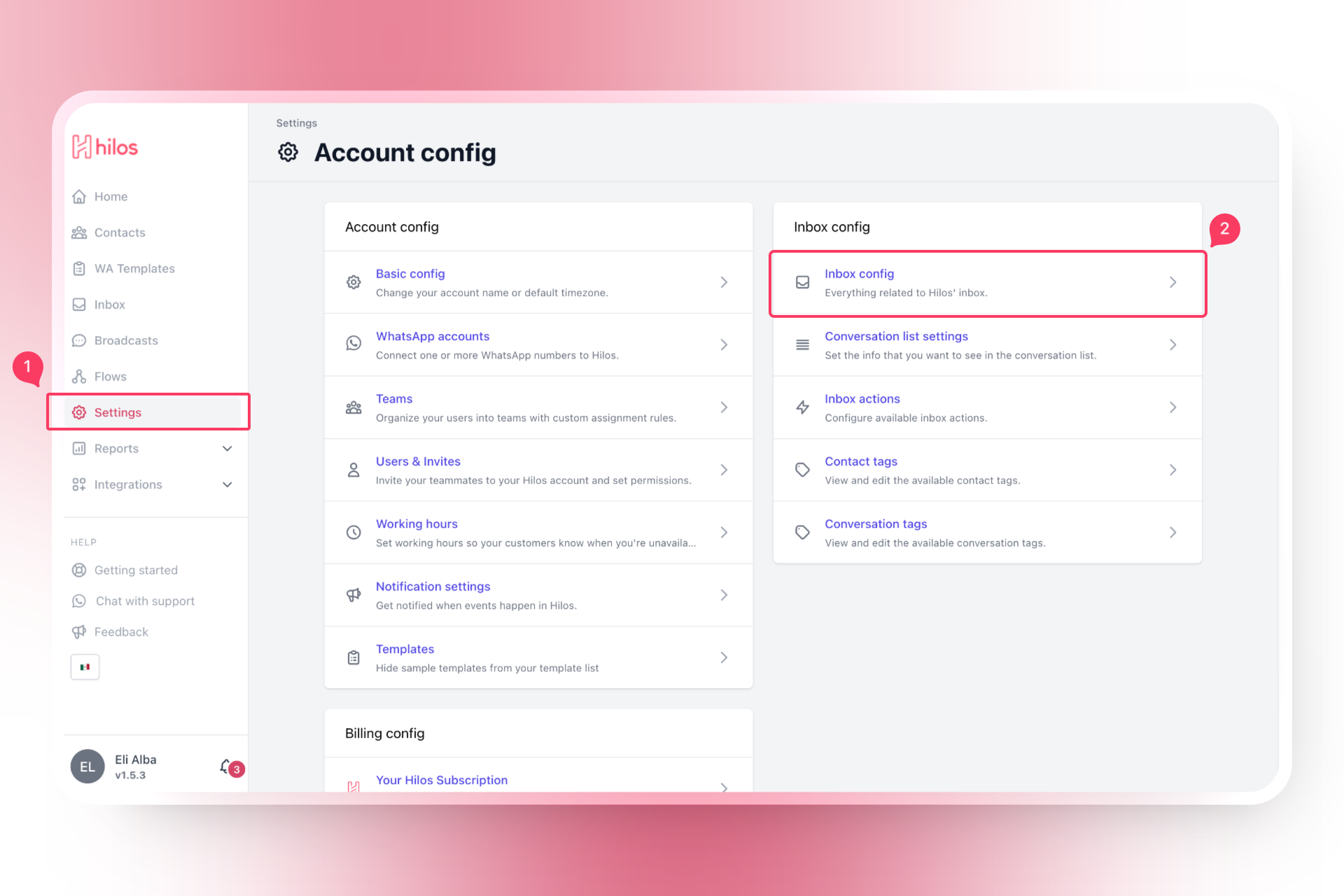
* Go to [Inbox Settings](https://app.hilos.io/config/account/inbox) in your Hilos account.
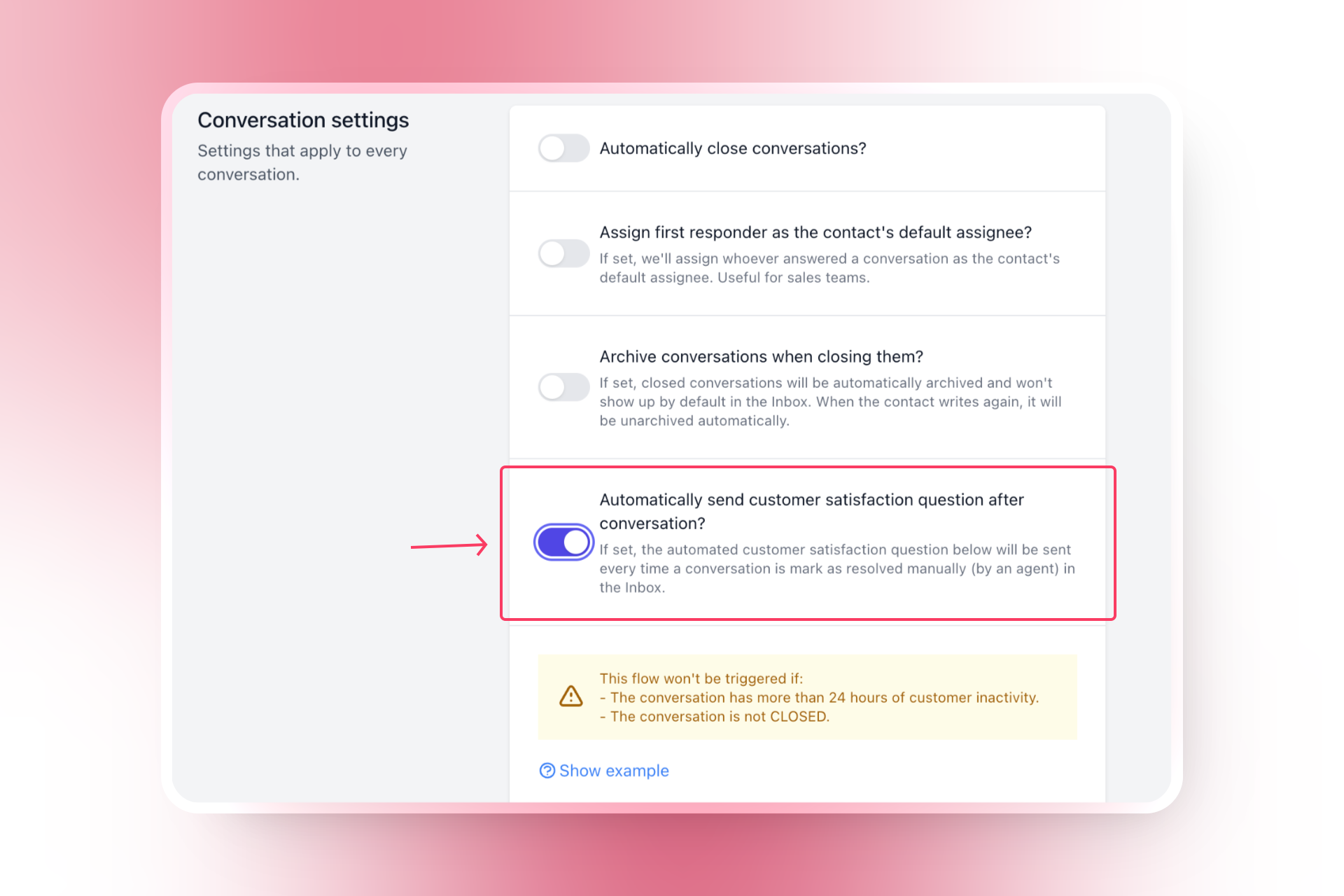
* Turn on the switch titled **Automatically send customer satisfaction question after conversation?**
### Configuring C-SAT Survey Settings
* If you have more than one WhatsApp channel, choose the channel you wish to use for sending the survey.
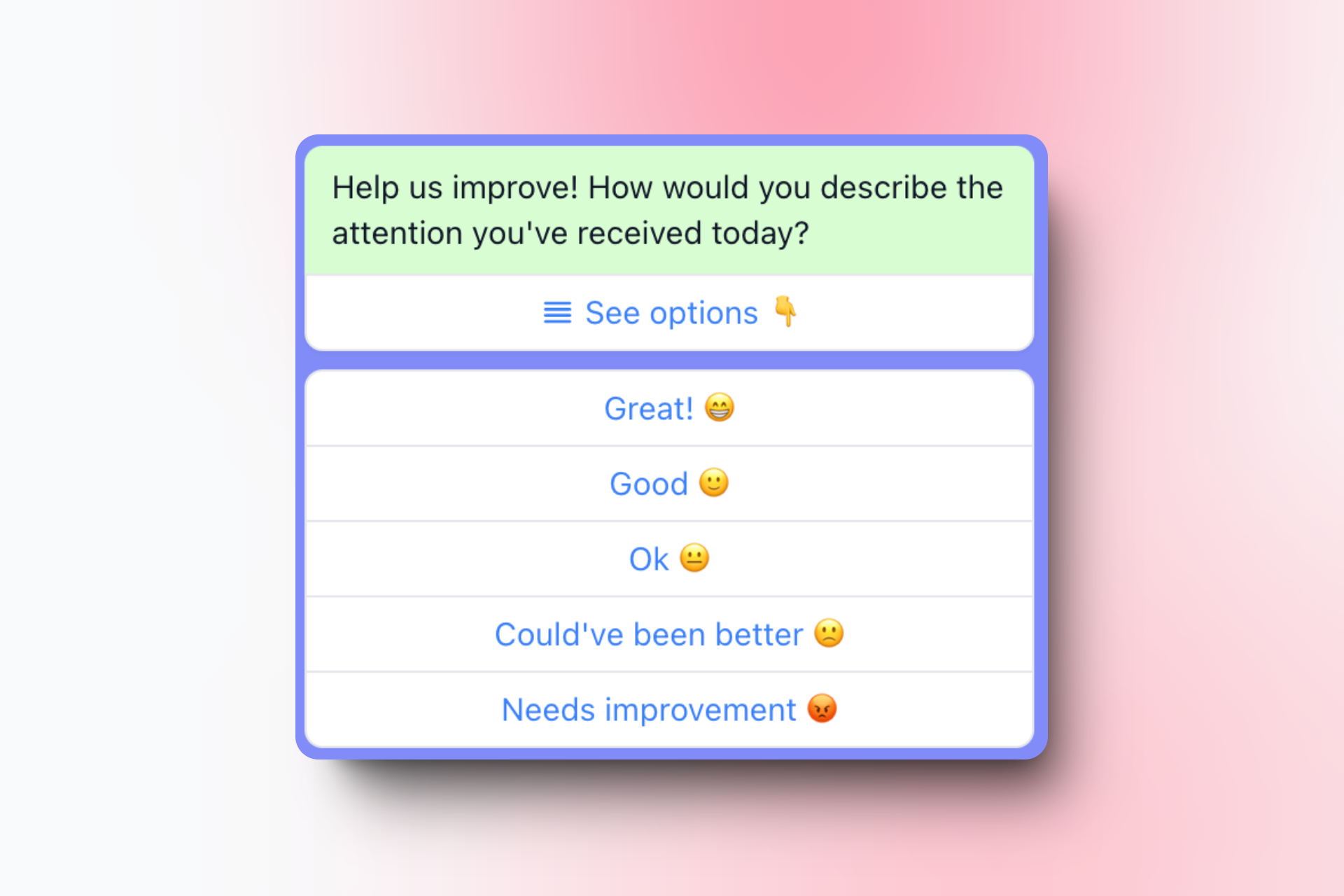
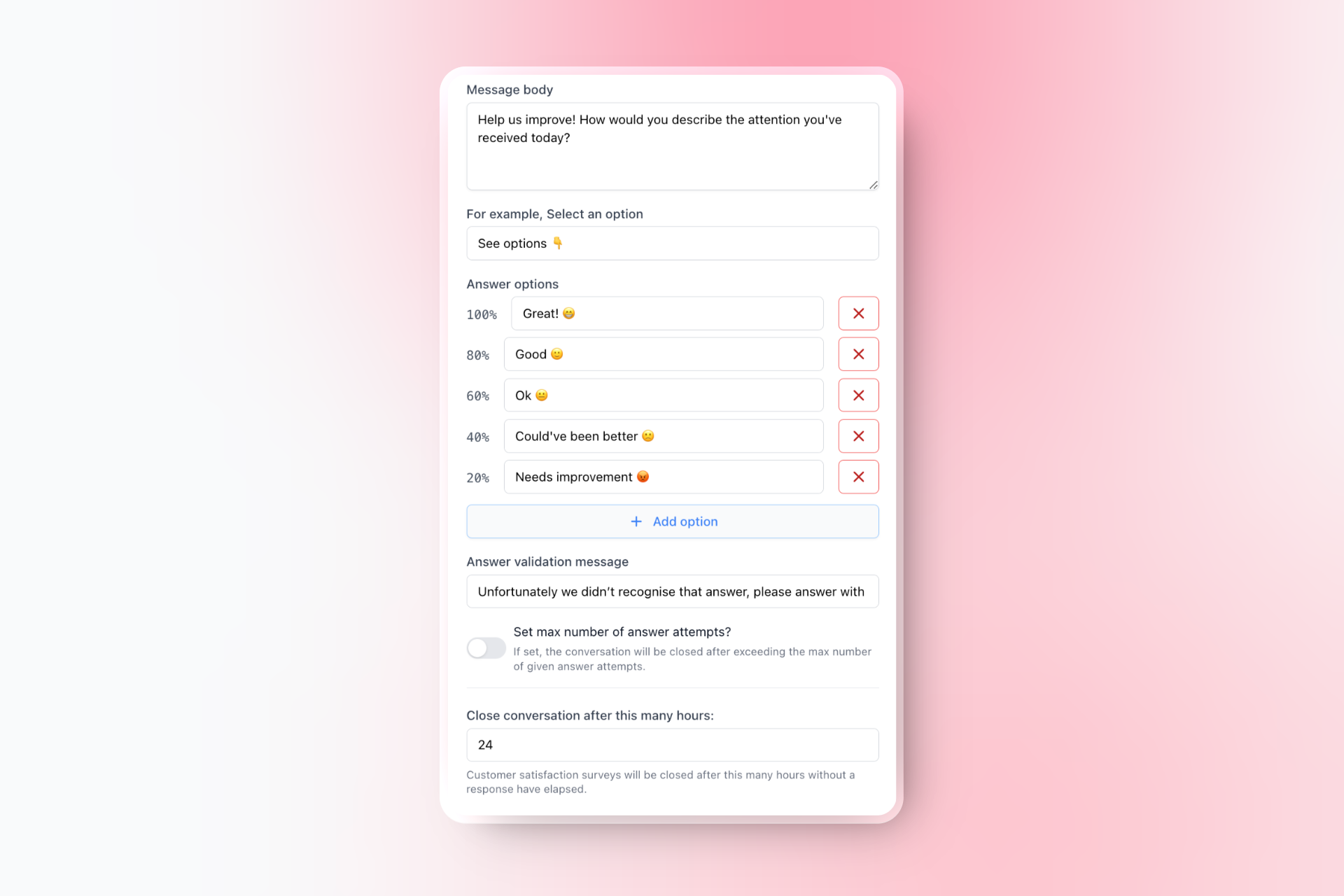
* Enter the message body for the survey. This is the message that will be sent to customers asking for their feedback. For example:
Help us improve! How would you describe the attention you've received today?
* Enter a custom text to open the options list. For example:
See options 👇
* Add up to 10 different options for customers to choose from. Each option will automatically be assigned a percentage based on the number of options, reflected with a score of 0.1 to 1 in the final report.
* Enter a message that will be sent if the user doesn't select any of the provided options. For example:
Unfortunately, we didn’t recognize that answer, please answer with one of the provided options.
* If desired, set a maximum number of answer attempts before automatically closing the C-SAT survey.
* Set the number of hours after which the C-SAT survey flow will automatically close if there is no response. For example:
24

**Conversation Status:** The conversation closing logic in the inbox will change. Instead of "Move to Closed," your team will see "Move to Resolved." The resolved status is the C-SAT survey, which can be manually canceled by pressing the X. Once the C-SAT survey is finished, the status will be set to Closed.
### Example Configuration
### Finalizing the Setup
* Once you have configured all the settings, click on the "Save" button to apply the changes.
## Interpreting C-SAT Results
### Viewing C-SAT Scores
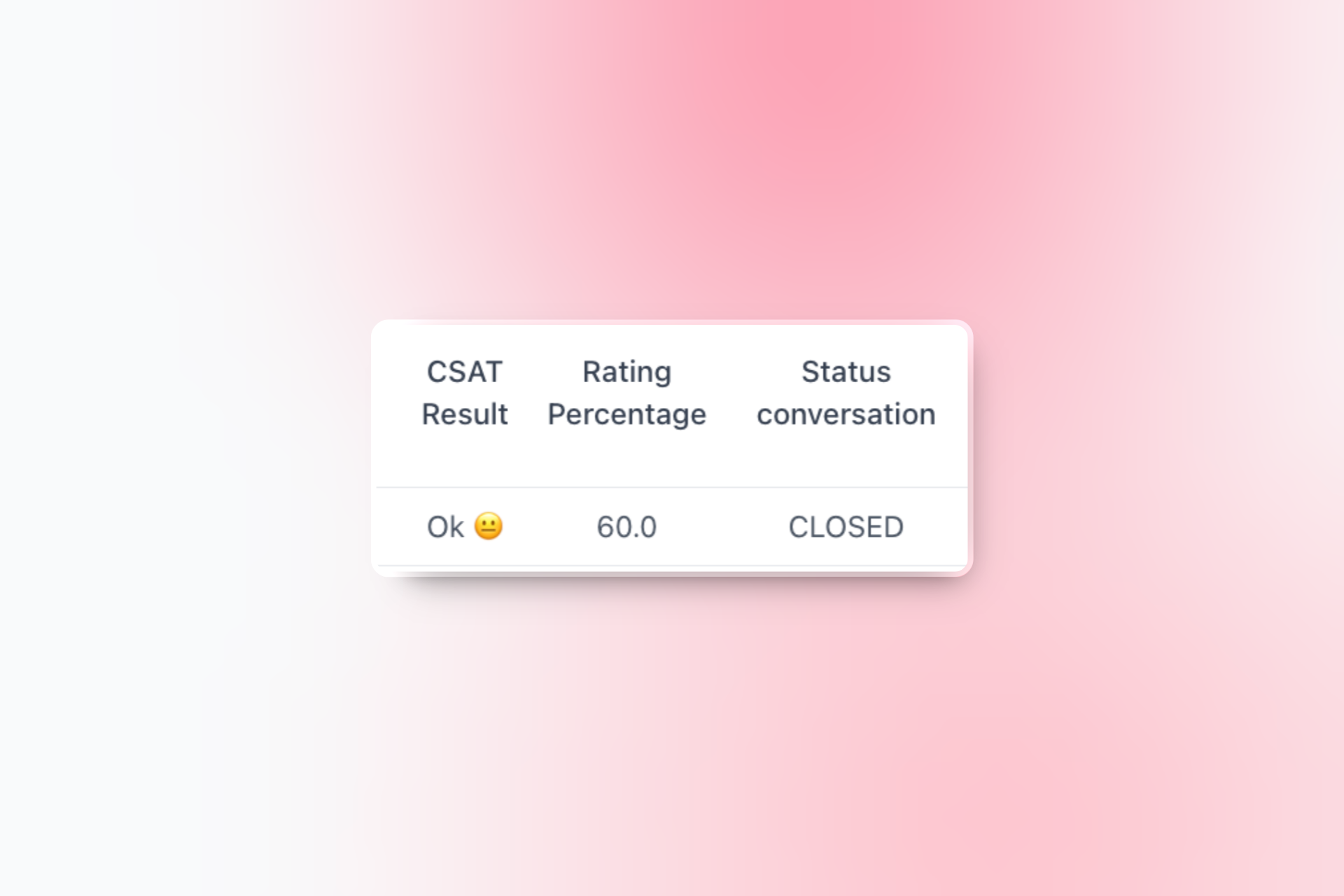
* **Reports Module:** After setting up C-SAT surveys, you can view the conversation's C-SAT score in the Reports module inside Hilos.
## Pros and Cons of Using C-SAT
### Pros
* **Easy to Set Up:** Configuring C-SAT surveys is straightforward and can be done quickly.
* **Customizable Message:** You can customize the message sent to customers, making it more relevant to your service.
### Cons
* **Global Setting:** Currently, C-SAT surveys can only be set globally for all WhatsApp accounts (though only sent by the individual number of your choosing). They cannot be set per individual account.
## Conclusion
Setting up C-SAT surveys in Hilos is a simple process that can provide valuable feedback from your customers. By configuring the necessary settings, you can ensure a seamless and efficient customer satisfaction survey process. Start setting up your C-SAT surveys today and take your customer service to the next level!