> ## Documentation Index
> Fetch the complete documentation index at: https://hilos-40.mintlify.site/llms.txt
> Use this file to discover all available pages before exploring further.
# Click 2 WhatsApp Ads
If you are already advertising on Meta, especially if your product requires users to talk to someone or clarify doubts before closing a sale; not using Click-to-WhatsApp Ads is leaving money on the table.
Click-to-WhatsApp ads, combined with Hilos' flows, provide a powerful tool for engaging with customers in real-time. By setting up ads and automating conversations, you can improve customer satisfaction, increase engagement rates, and drive conversions.
This guide will help you understand how to create Click-to-WhatsApp ads on Facebook that, upon click, trigger a flow on Hilos with a specific text, ensuring a seamless customer engagement experience.
## What are Click-to-WhatsApp Ads?
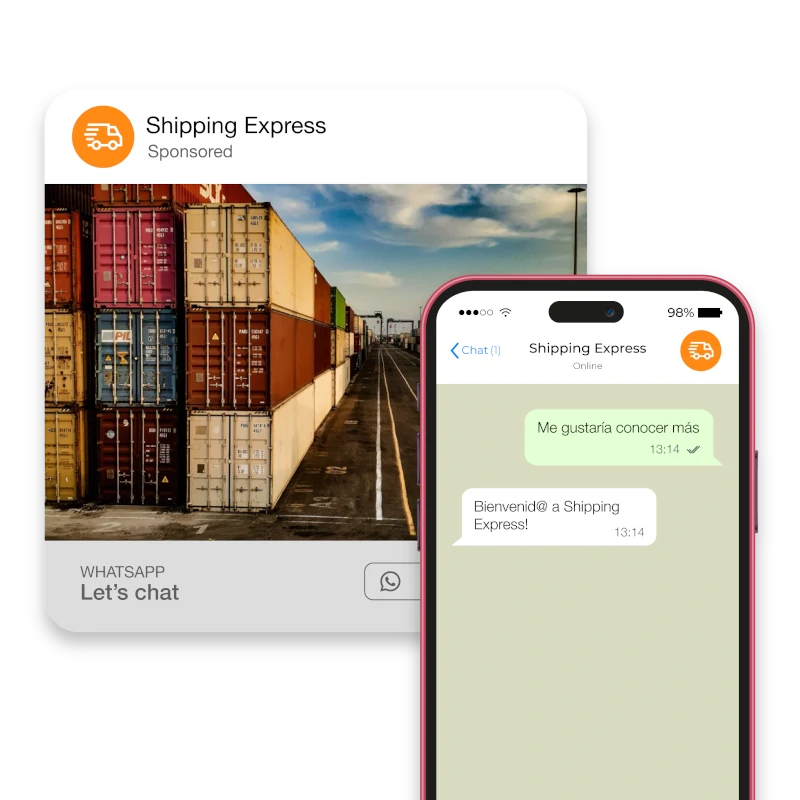
Click-to-WhatsApp ads are a type of advertisement on Meta platforms (Facebook, Instagram) that allow users to initiate a WhatsApp conversation directly from the ad.
## Why?
* Conversations started from these ads are free.
* You have a 72-hour window for conversations instead of the usual 24 hours.
* The conversions are genuine: you interacted with a real person, making it much less likely that a bot was involved.
* Data captured in lead forms or other Facebook ads are auto-filled with stored information, which might not be the client's most recent data. In contrast, on WhatsApp, you have their current phone number for sure.
### How They Work
These ads appear on Facebook and Instagram and include a call-to-action button that, when clicked, opens a WhatsApp chat with your business. This enables immediate and personalized communication with potential customers.
### Example
Imagine a user scrolling through Instagram and seeing an ad for a new product. They have questions and click the "Message on WhatsApp" button, which opens a chat with your business where they can get instant answers.
 ## Setting Up Click-to-WhatsApp Ads
### Step-by-Step Guide
Ensure your WhatsApp Business account is ready and connected to your Facebook page.
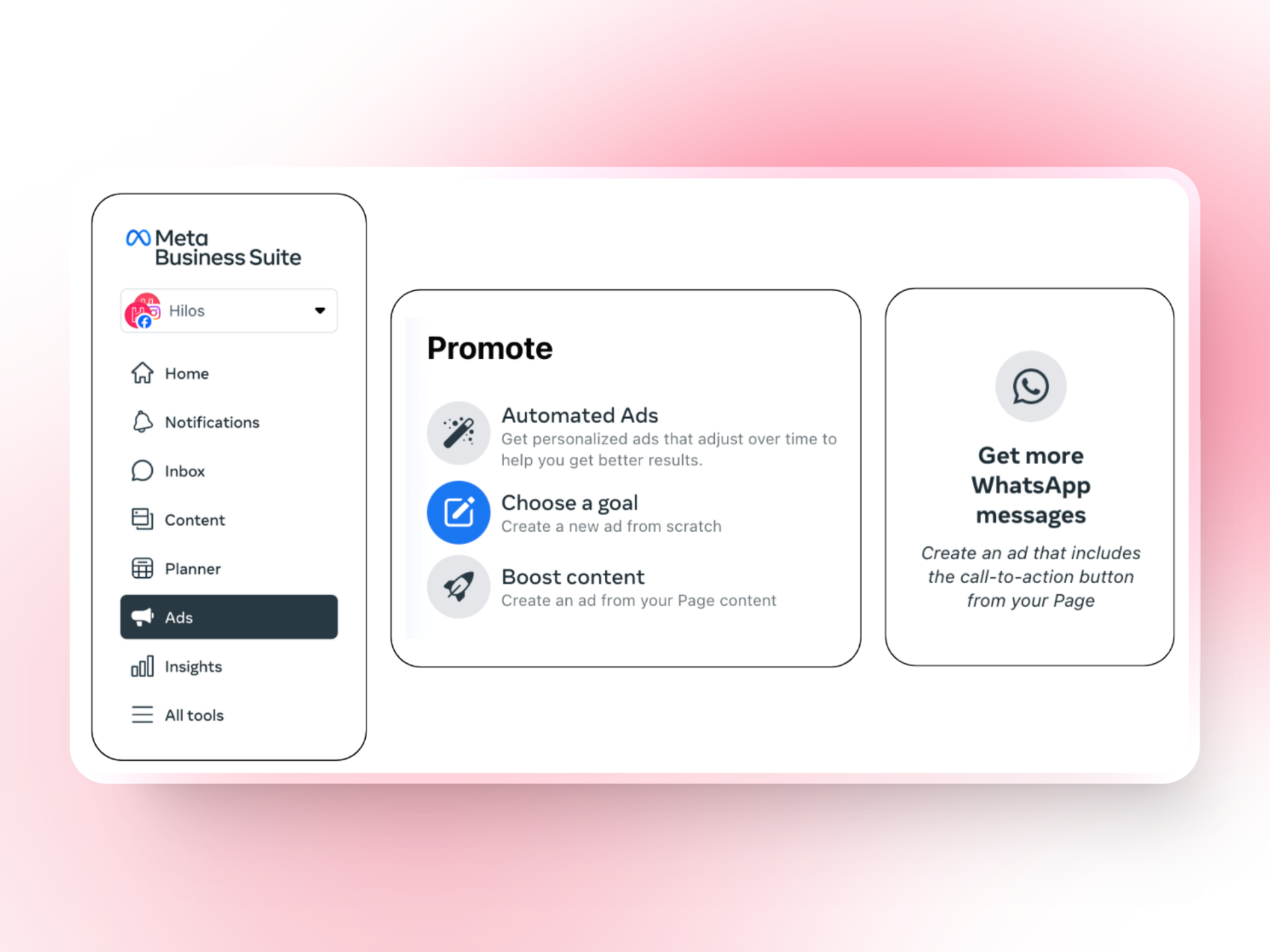
Navigate to the Ads Manager and click on "Create" to start a new campaign.
Select "Messages" as your campaign objective.
Under the "Message Destination" section, choose "WhatsApp."
Choose the right audience for your ads by setting demographics, interests, and behaviors that align with your target market.
Learn more on how to set up your audience [here.](https://business.facebook.com/business/help/841587719359551?id=2030300680608329)
Write compelling ad copy that encourages users to click and start a conversation.
Design eye-catching visuals that grab attention and convey your message effectively.
Ensure your call-to-action button is clear and directs users to WhatsApp.
Tailor your messages to address the specific needs and interests of your audience.
A/B test different ad copies and visuals to find the most effective combination.
## Integrating with Hilos
### Triggering a Flow on Hilos
Once a user clicks on the Click-to-WhatsApp ad, you can set up a flow on Hilos to automate the conversation. Here’s how:
Navigate to [Flows](https://app.hilos.io/flow) in your Hilos account and click `+ Flow Editor` to create a new flow. Design the flow to handle the initial interaction, such as greeting the user and asking qualifying questions.
Create the joutney you want your customer to follow and configure the flow steps needed.
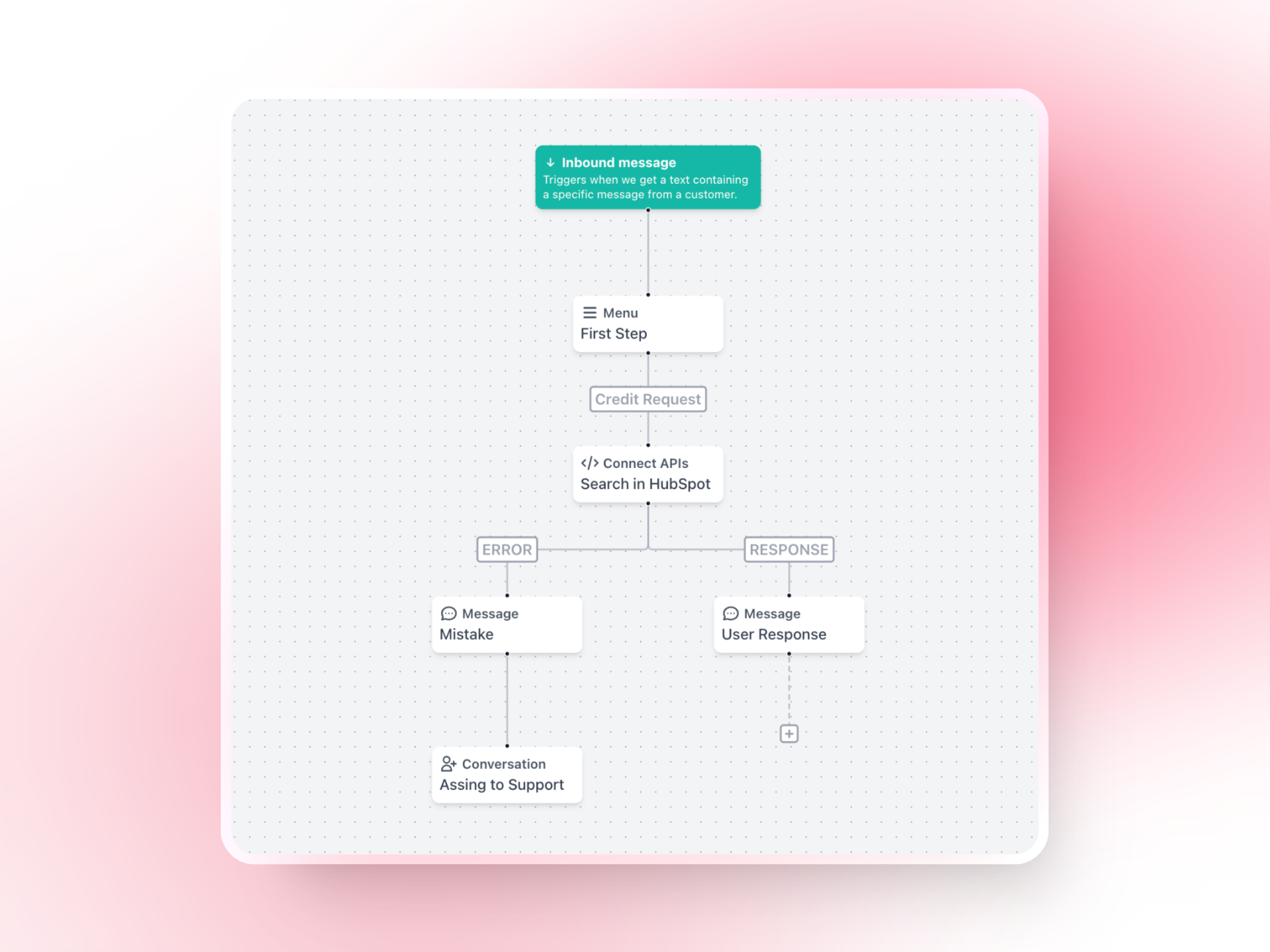
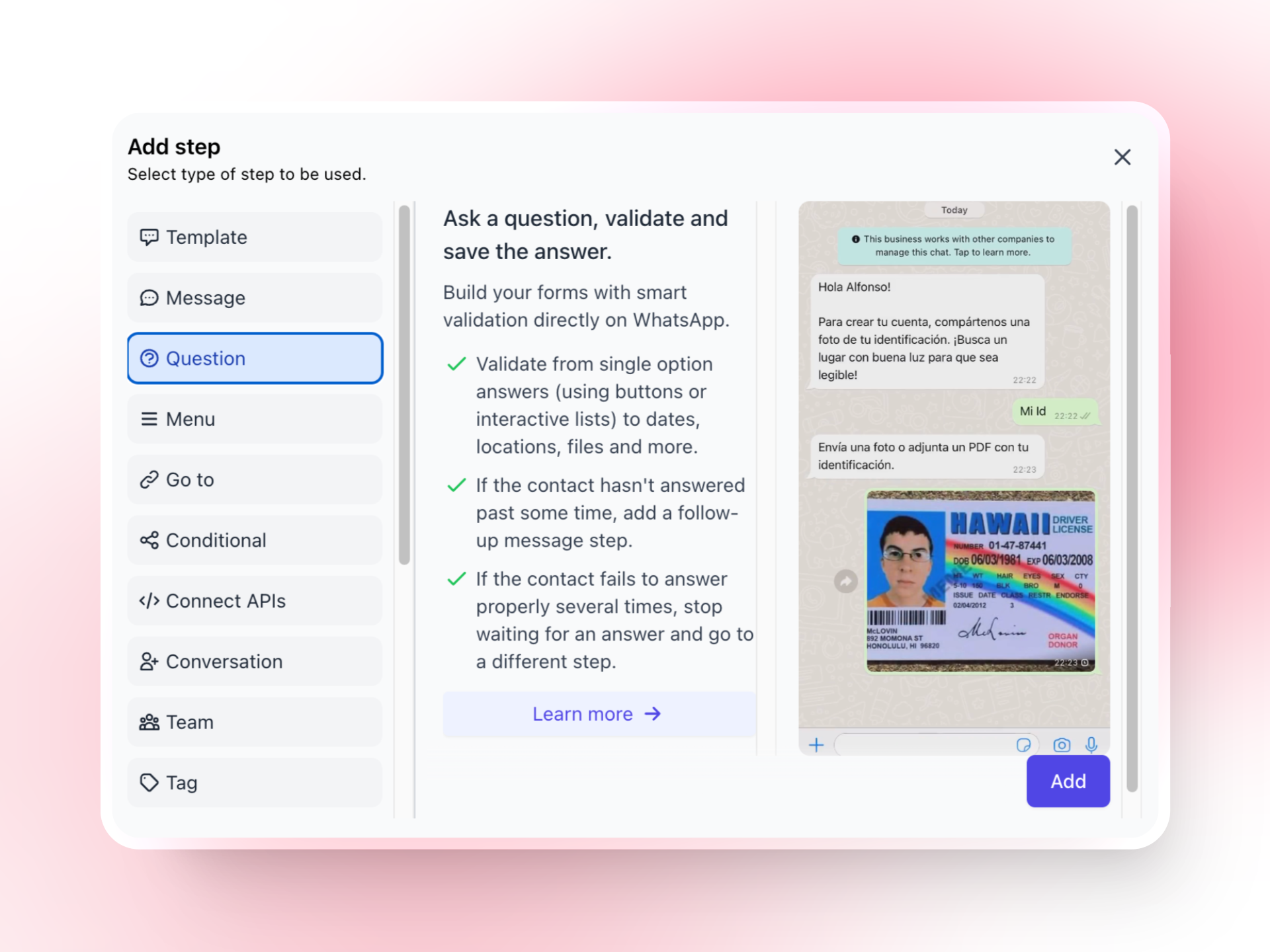
Ask a qualifying question, [learn more about question step.](https://hilos.io/docs/en/user/using-hilos/flows/steps/question-step)
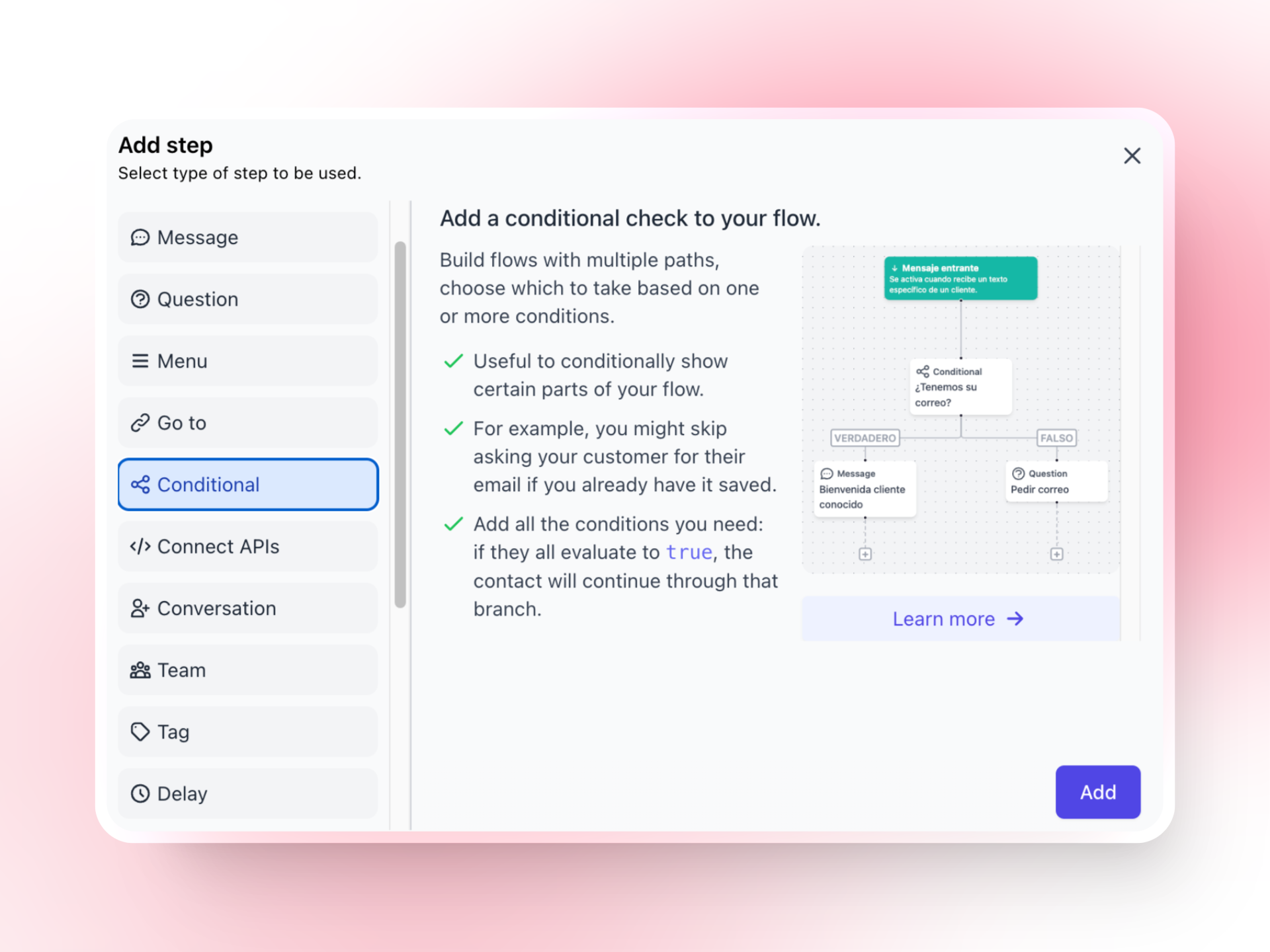
Branch the flow based on user responses, [learn more about conditional step.](https://hilos.io/docs/en/user/using-hilos/flows/steps/conditional-step)
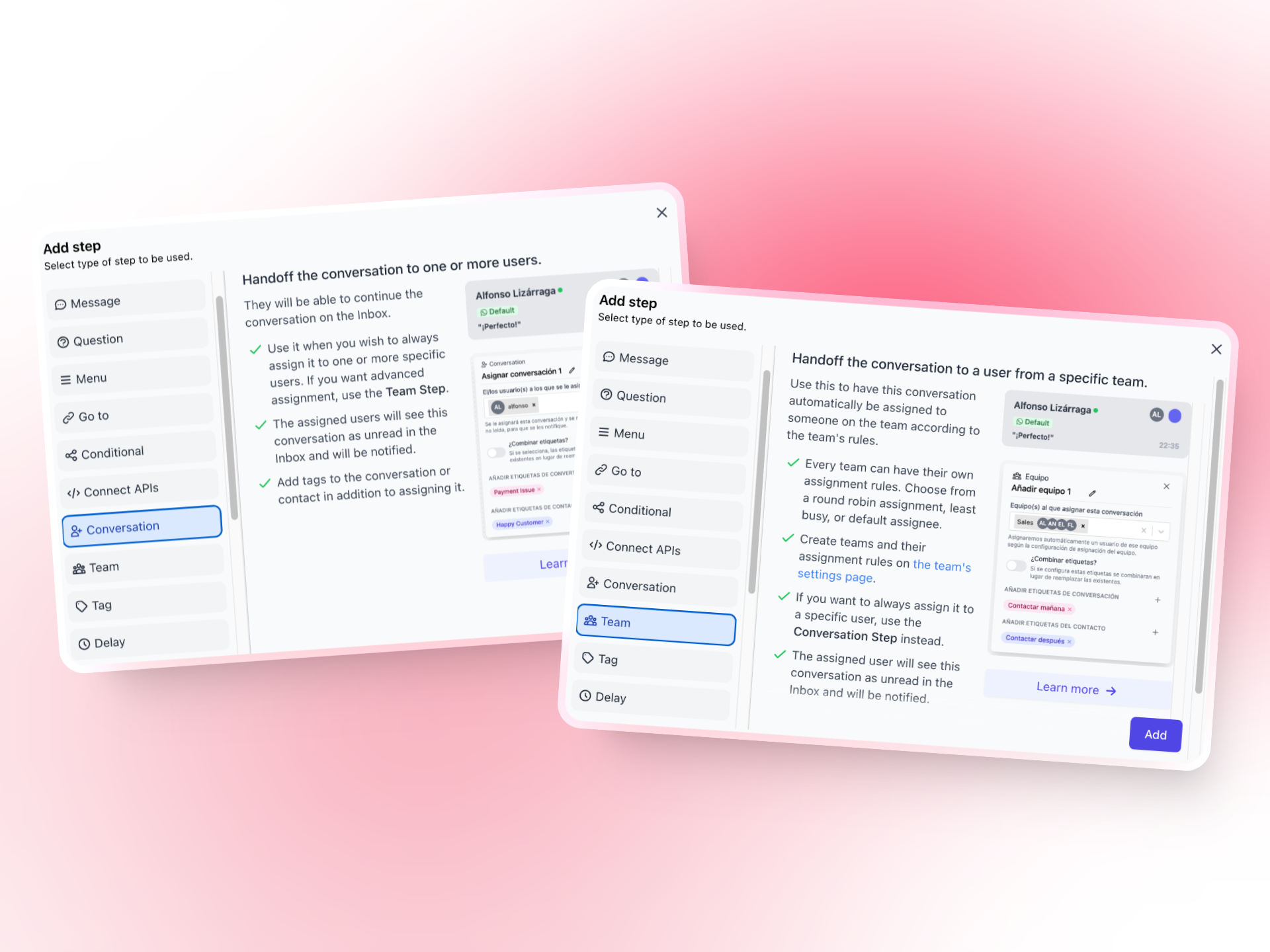
Assign the conversation to the appropriate team member or contact needed, learn more about [assignation steps](https://hilos.io/docs/en/user/using-hilos/flows/steps/assignation-steps).
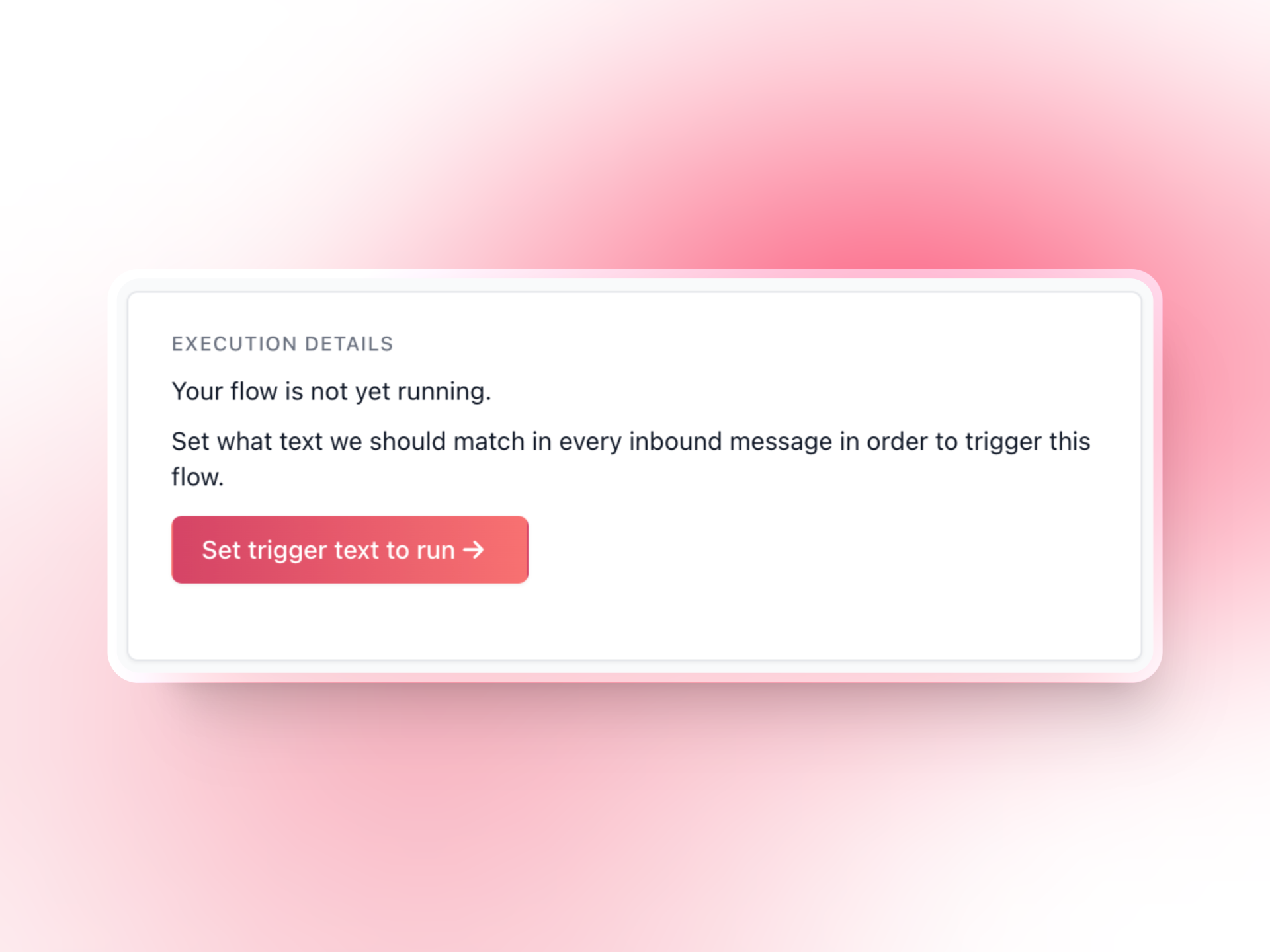
After publishing your flow we will ask you to add a trigger that activates the flow, select to trigger when a specific text is received. **This text should be the one sent when the user clicks the WhatsApp ad button.**
## Measuring the Success of Click-to-WhatsApp Ads
### Key Metrics
Track important metrics to measure the success of your ads:
* **Click-through Rate (CTR):** Percentage of users who clicked the ad.
* **Conversion Rate:** Percentage of users who completed a desired action after clicking the ad.
* **Engagement Rate:** Level of interaction with the ad and subsequent WhatsApp conversation.
Start integrating Click-to-WhatsApp ads with Hilos today and take your digital marketing strategy to the next level!
## Setting Up Click-to-WhatsApp Ads
### Step-by-Step Guide
Ensure your WhatsApp Business account is ready and connected to your Facebook page.
Navigate to the Ads Manager and click on "Create" to start a new campaign.
Select "Messages" as your campaign objective.
Under the "Message Destination" section, choose "WhatsApp."

Choose the right audience for your ads by setting demographics, interests, and behaviors that align with your target market.
Learn more on how to set up your audience [here.](https://business.facebook.com/business/help/841587719359551?id=2030300680608329)
Write compelling ad copy that encourages users to click and start a conversation.
Design eye-catching visuals that grab attention and convey your message effectively.
Ensure your call-to-action button is clear and directs users to WhatsApp.
Tailor your messages to address the specific needs and interests of your audience.
A/B test different ad copies and visuals to find the most effective combination.
## Integrating with Hilos
### Triggering a Flow on Hilos
Once a user clicks on the Click-to-WhatsApp ad, you can set up a flow on Hilos to automate the conversation. Here’s how:
Navigate to [Flows](https://app.hilos.io/flow) in your Hilos account and click `+ Flow Editor` to create a new flow. Design the flow to handle the initial interaction, such as greeting the user and asking qualifying questions.
Create the joutney you want your customer to follow and configure the flow steps needed.

Ask a qualifying question, [learn more about question step.](https://hilos.io/docs/en/user/using-hilos/flows/steps/question-step)

Branch the flow based on user responses, [learn more about conditional step.](https://hilos.io/docs/en/user/using-hilos/flows/steps/conditional-step)

Assign the conversation to the appropriate team member or contact needed, learn more about [assignation steps](https://hilos.io/docs/en/user/using-hilos/flows/steps/assignation-steps).

After publishing your flow we will ask you to add a trigger that activates the flow, select to trigger when a specific text is received. **This text should be the one sent when the user clicks the WhatsApp ad button.**

## Measuring the Success of Click-to-WhatsApp Ads
### Key Metrics
Track important metrics to measure the success of your ads:
* **Click-through Rate (CTR):** Percentage of users who clicked the ad.
* **Conversion Rate:** Percentage of users who completed a desired action after clicking the ad.
* **Engagement Rate:** Level of interaction with the ad and subsequent WhatsApp conversation.
Start integrating Click-to-WhatsApp ads with Hilos today and take your digital marketing strategy to the next level!